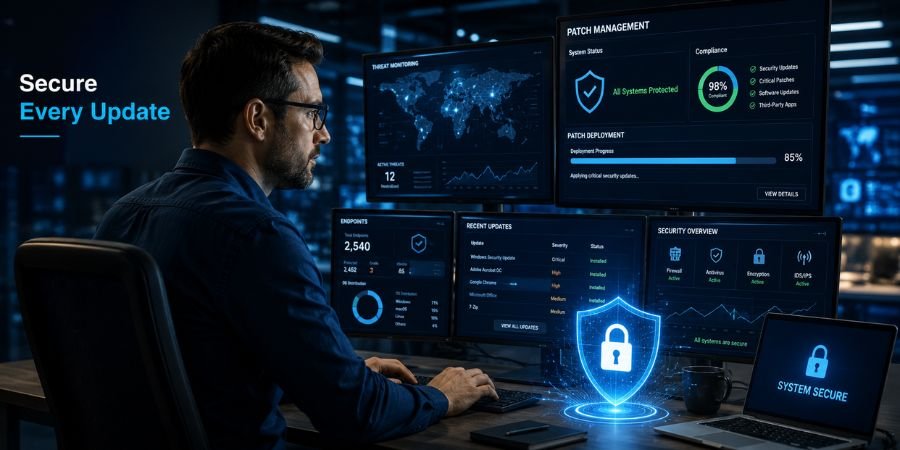
In an era where cyber threats evolve faster than most organizations can react, keeping software updated is no longer a routine IT task—it is a business-critical security function. Every operating system, application, server, and connected device contains software components that may eventually require updates to fix vulnerabilities, improve stability, or add new features. This is where Patch Management becomes essential.
Organizations of all sizes face growing pressure to secure their digital environments while maintaining operational continuity. A single unpatched vulnerability can create an entry point for ransomware, data breaches, system disruptions, or compliance violations. As technology ecosystems become more complex, manually tracking and deploying updates becomes increasingly difficult.
Patch Management Software helps organizations automate the discovery, testing, deployment, and monitoring of software updates across their infrastructure. By reducing manual effort and minimizing security gaps, these solutions have become a core component of modern IT and cybersecurity strategies.
Whether managing a small business network or a global enterprise environment, understanding how Patch Management works can significantly improve security posture, operational efficiency, and regulatory compliance.
What Is Patch Management and Why Does It Matter?
Patch Management is the process of identifying, acquiring, testing, deploying, and verifying software updates across an organization’s IT environment.
These updates, commonly known as patches, are released by software vendors to:
- Fix security vulnerabilities
- Resolve software bugs
- Improve system performance
- Add new functionality
- Ensure regulatory compliance
Patch Management Software centralizes and automates this process, allowing IT teams to manage updates across thousands of devices from a single platform.
Without effective patching, organizations expose themselves to known vulnerabilities that attackers actively exploit. Many major cyber incidents have occurred because security updates were available but not installed in time.
Essential Insights Every IT Team Should Know
- Prioritize security patches based on risk and vulnerability severity.
- Automate routine updates whenever possible to reduce human error.
- Maintain an accurate asset inventory across all endpoints and servers.
- Test patches before deployment to prevent compatibility issues.
- Monitor patch compliance continuously rather than relying on periodic audits.
- Create emergency patching procedures for critical vulnerabilities.
- Track third-party applications, not just operating systems.
- Document patching activities for security and compliance reporting.
How Patch Management Software Works Across Modern IT Environments
Patch Management platforms provide a structured workflow that helps organizations maintain secure and updated systems.
Asset Discovery and Inventory
The process begins with identifying devices, applications, operating systems, and network assets.
Modern solutions automatically discover:
- Desktop computers
- Laptops
- Servers
- Virtual machines
- Cloud workloads
- Mobile devices
- Network-connected endpoints
A complete inventory ensures that no critical systems are overlooked during patch deployment.
Vulnerability Detection and Assessment
Patch Management Software continuously scans systems to identify missing updates and known vulnerabilities.
IT teams can evaluate:
- Severity levels
- Exposure risks
- Business impact
- Exploitation likelihood
- Compliance requirements
This visibility helps prioritize remediation efforts.
Patch Testing and Validation
Before deployment, patches should be tested in controlled environments.
Testing helps identify:
- Application conflicts
- Performance issues
- System instability
- Compatibility concerns
Organizations often use staging environments to validate updates before organization-wide deployment.
Automated Deployment
Once validated, patches can be deployed according to predefined schedules.
Common deployment options include:
- Immediate rollout for critical vulnerabilities
- Scheduled maintenance windows
- Phased deployment groups
- Department-specific update cycles
Automation significantly reduces administrative overhead while improving consistency.
Reporting and Compliance Monitoring
Effective solutions generate detailed reports showing:
- Patch status
- Deployment success rates
- Missing updates
- Compliance metrics
- Security risk levels
These reports support audits, governance initiatives, and executive decision-making.
The Expanding Role of Patch Management in Cybersecurity
Cybersecurity teams increasingly view Patch Management as one of the most effective defenses against known threats.
Threat actors frequently exploit vulnerabilities that have already been publicly disclosed and patched by vendors. The challenge is rarely the availability of a fix—it is the speed at which organizations apply it.
A mature patching strategy supports:
- Vulnerability management programs
- Zero Trust security models
- Endpoint protection initiatives
- Incident response planning
- Regulatory compliance frameworks
Closing Known Security Gaps
Many successful attacks rely on vulnerabilities that organizations failed to patch promptly.
Timely updates help reduce exposure to:
- Ransomware attacks
- Privilege escalation exploits
- Remote code execution vulnerabilities
- Data theft campaigns
- Supply chain attacks
Supporting Compliance Requirements
Many regulatory frameworks require organizations to maintain secure and updated systems.
Examples include:
- PCI DSS
- HIPAA
- GDPR-related security controls
- ISO 27001
- SOC 2
Patch compliance reporting often becomes a critical component of audits and assessments.
Business Benefits Beyond Security
While cybersecurity remains a primary driver, Patch Management delivers significant operational and financial advantages.
Improved System Reliability
Software updates frequently address bugs and performance issues that can affect productivity.
Benefits include:
- Reduced downtime
- Greater application stability
- Better user experiences
- Fewer support tickets
Increased IT Efficiency
Manual patch deployment consumes substantial resources.
Automation allows IT teams to:
- Reduce repetitive tasks
- Focus on strategic projects
- Improve consistency
- Scale operations more effectively
Better Visibility Across Infrastructure
Modern platforms provide centralized dashboards that improve oversight across diverse technology environments.
Organizations gain a clearer understanding of:
- Asset health
- Update status
- Security posture
- Compliance readiness
Reduced Financial Risk
The cost of a breach, outage, or compliance violation often exceeds the investment required for effective patch management.
Proactive maintenance helps avoid:
- Incident response expenses
- Business disruptions
- Regulatory penalties
- Reputation damage
Challenges Organizations Commonly Face
Despite its importance, Patch Management is not always straightforward.
Several obstacles can complicate deployment efforts.
Legacy Systems and Compatibility Concerns
Older applications may not function correctly after updates.
Organizations often struggle with:
- Unsupported software
- Custom applications
- Hardware dependencies
- Vendor restrictions
Limited Maintenance Windows
Critical systems frequently operate around the clock.
This creates challenges when scheduling updates without disrupting business operations.
Expanding Attack Surfaces
Remote work, cloud services, and distributed infrastructure have increased the number of assets requiring patching.
Managing updates across hybrid environments demands greater coordination and visibility.
Resource Constraints
Smaller IT teams may lack the personnel needed to monitor, test, and deploy patches consistently.
Automation helps address this challenge but does not eliminate the need for governance and oversight.
Expert Strategies for Effective Patch Management
Successful organizations treat Patch Management as an ongoing process rather than a periodic task.
Establish a Risk-Based Approach
Not every patch requires the same level of urgency.
Prioritize updates based on:
- Vulnerability severity
- Asset criticality
- Threat intelligence
- Regulatory impact
Maintain Comprehensive Asset Visibility
You cannot patch systems you do not know exist.
Regular asset discovery helps ensure complete coverage across the environment.
Automate Wherever Appropriate
Automation reduces delays and improves consistency.
However, critical systems should still undergo appropriate testing and validation.
Create Formal Patch Policies
Documented procedures help standardize operations.
Policies should define:
- Roles and responsibilities
- Testing requirements
- Deployment schedules
- Emergency response processes
Measure Performance Continuously
Track metrics such as:
- Patch compliance rates
- Mean time to patch
- Deployment success rates
- Vulnerability remediation timelines
These indicators help improve long-term effectiveness.
Where Patch Management Is Heading Next
The future of Patch Management Software is closely tied to automation, artificial intelligence, and integrated cybersecurity platforms.
Several trends are shaping the next generation of solutions.
AI-Assisted Prioritization
Artificial intelligence is helping organizations identify which vulnerabilities present the greatest business risk.
This enables faster and more targeted remediation efforts.
Unified Endpoint Management Integration
Patching capabilities are increasingly being integrated into broader endpoint management platforms.
This creates a more centralized approach to device administration and security.
Cloud-Native Patch Management
As organizations migrate workloads to cloud environments, vendors are developing solutions specifically designed for cloud infrastructure and hybrid architectures.
Continuous Risk-Based Remediation
Future platforms are expected to move beyond scheduled patching toward continuous vulnerability assessment and automated remediation.
This approach aligns more closely with modern cybersecurity requirements.
Building a Resilient IT Environment Through Patch Management
Patch Management is no longer a routine maintenance function confined to IT departments. It has become a foundational element of cybersecurity, operational resilience, and regulatory compliance.
Organizations that implement structured patching processes can reduce security risks, improve system reliability, streamline IT operations, and strengthen overall business continuity. As technology ecosystems continue to grow in complexity, Patch Management Software provides the visibility and automation needed to maintain secure and efficient environments.
The most successful organizations are those that view patching not as a periodic project, but as a continuous discipline that protects systems, supports growth, and enables long-term digital resilience.
Frequently Asked Questions
What is Patch Management Software?
Patch Management Software is a tool that automates the identification, testing, deployment, and monitoring of software updates across devices, applications, servers, and operating systems. It helps organizations maintain security, stability, and compliance while reducing manual administrative effort.
Why is Patch Management important for cybersecurity?
Patch Management helps close known security vulnerabilities before attackers can exploit them. Timely patching reduces the risk of ransomware, malware infections, unauthorized access, and data breaches that often target outdated software.
How often should organizations perform patching?
Organizations should patch systems regularly based on vendor releases, security advisories, and risk levels. Critical vulnerabilities may require immediate action, while less severe updates can follow scheduled maintenance windows.
What is the difference between vulnerability management and Patch Management?
Vulnerability management focuses on identifying, assessing, and prioritizing security weaknesses. Patch Management is one method of remediation that addresses vulnerabilities through software updates and fixes.
Can Patch Management be fully automated?
Many aspects can be automated, including discovery, deployment, scheduling, and reporting. However, testing, governance, risk evaluation, and oversight often require human involvement, particularly in complex environments.
Which systems should be included in a patching program?
A comprehensive program should cover operating systems, applications, servers, cloud workloads, virtual machines, network devices, mobile devices, and third-party software to ensure broad protection.
What are the biggest Patch Management challenges?
Common challenges include legacy systems, compatibility issues, limited maintenance windows, resource constraints, remote endpoints, and managing updates across hybrid cloud environments.
How does Patch Management support compliance?
Many regulatory frameworks require organizations to maintain updated systems and address known vulnerabilities. Patch Management provides documentation, reporting, and evidence needed to demonstrate compliance during audits.
Also Read: Executive Leadership Trends 2026: How Modern Leaders Are Reshaping Business Success